WordPress Security in the Age of AI Needs More Than Fast Updates
WordPress security in the age of AI requires more than fast updates. AI is changing how security researchers and attackers…
Real login protection, set up in minutes by a guided wizard. No security expertise needed.
Free forever · No credit card required · WordPress 5.6+ and PHP 7.1+

The plugin detects these and adapts around them, so login protection, CAPTCHA and hardening fit your site instead of fighting it.
 WooCommerce
 Cloudflare
 reCAPTCHA
 Elementor
 Divi
Divi
 Avada
Avada
 WPBakery
 Beaver Builder
 WPForms
 LiteSpeed
 Yoast SEO
And a lot more. The plugin checks what else is installed, fits itself around your page builder, forms, cache and SEO plugin, and tells you when another security plugin is already doing the same job.
Most break-ins start at the login screen or an outdated plugin. Ultimate Security covers both, then keeps watch.
Two-factor authentication, brute-force limiting, a custom login URL and compromised-password checks stop attackers before they get in.
Learn more →Google reCAPTCHA or Cloudflare Turnstile on your login, registration and comment forms, with an outage circuit-breaker so you are never locked out.
Learn more →Deploy 5 groups of WAF rules to your own Cloudflare account so attacks are stopped before they ever reach your server. Fully free.
Learn more →The vulnerability scanner checks your plugins, themes and core against the WPScan and Patchstack databases, and verifies core files against WordPress.org checksums.
Learn more →Rotate security keys, control update behavior, an emergency recovery URL and settings backup. Safety nets included.
Learn more →A security score built from 14 checks rates your site across 5 tiers and tells you exactly what to fix next.
Learn more →Every number below comes from the plugin itself, not a marketing round-up.
Add a second step to every WordPress login with email one-time codes or authenticator apps. Free, with per-role enforcement, encrypted secrets and brute-force lockouts built in.
Deploy 5 curated firewall rule groups to your own Cloudflare account in one click. Hostile traffic is dropped at the edge, before it ever reaches your server.
Check your plugins, themes and core against the WPScan and Patchstack vulnerability databases, using your own API key, with resumable scans and a full scan history.
Fourteen weighted checks roll up into a 0-100 score and five tiers, from Vulnerable to Fortress, with a concrete list of what to fix next.
A complete record of who did what and when: user, content, plugin and theme events, filterable, exportable to CSV or JSON, and forwardable to your SIEM.
Send suspicious files to Google, OpenAI, OpenRouter or Requesty with your own API key, and quarantine what comes back dirty. You control the provider, the model and the bill.
Six realistic scenarios drawn from how the plugin is actually configured, not invented testimonials.
No security expertise required. The wizard does the tuning.
Grab Ultimate Security from WordPress.org like any other plugin. No account, no credit card.
Pick a basic, moderate or strict protection profile and the wizard switches on the right protection for your kind of site.
The security score shows exactly where you stand and what to fix next, from Vulnerable to Fortress.
Pro extends the free plugin for teams that need more than the basics.
Passkeys, magic links, trusted devices and SMS two-factor authentication via your Twilio account.
Learn more →Scan suspicious files with your own API key for Google, OpenAI, OpenRouter or Requesty.
Learn more →Activity logs, incident detection for 5 attack patterns, and log forwarding to 6 SIEM targets.
Learn more →The full breakdown, module by module. Free is free forever, not a trial.
| Feature | Free | Pro |
|---|---|---|
| Login & authentication | ||
| Two-factor authentication Email one-time codes and authenticator apps (TOTP and HOTP), enforced per role. | Email + authenticator | + SMS, backup codes, trusted devices |
| Passkeys & passwordless Passkeys (WebAuthn) with role enforcement, plus magic-link login. | Not included | Included |
| Custom login URL & brute-force limits Move wp-login to an address only you know; escalating lockouts with an emergency recovery URL. | Included | Included |
| Password policies Length, complexity, history and expiry rules, plus a compromised-password check against Have I Been Pwned. | Included | Included |
| Sessions & presence Concurrent-login limits, hardened auth cookies and a Who's Online view. | Included | + tracking, revocation and 2FA audit log |
| Temporary & express logins Time-boxed accounts and one-click support links: single-use tokens, self-deleting accounts. | Not included | Included |
| Login notifications & digests Know when and where accounts sign in, with digest emails. | Not included | Included |
| Bots & edge protection | ||
| CAPTCHA that fails safe reCAPTCHA v2/v3 or Cloudflare Turnstile on login, registration and comments, with an outage circuit-breaker. | Included | Included |
| Cloudflare WAF rules 5 curated rule groups deployed to your own Cloudflare account in one click. Threats stop at the edge. | All 5 rule groups | All 5 rule groups |
| Email defenses Blacklist with wildcards, verification against 27,300+ disposable domains, breach monitoring. | Not included | Included |
| Monitoring & detection | ||
| Vulnerability scanner Plugins, themes and core checked against the WPScan and Patchstack databases. | Included | Included |
| Core file-integrity scan Your WordPress core files compared against official WordPress.org checksums. | Included | Included |
| Continuous file monitoring Baseline core, plugins, themes and mu-plugins and get alerted when a file changes, not just core. | Not included | Included |
| AI malware scanner Suspicious files analyzed with your own key for Google, OpenAI, OpenRouter or Requesty, quarantine included. | Not included | Included |
| Activity log Who did what and when: user, content, plugin and theme events, exportable to CSV or JSON. | Lighter logger + login snapshot | Full trail with export |
| Incident detection 5 attack patterns auto-detected and assembled into timelines, with email, Slack or webhook alerts. | Not included | Included |
| Security score 14 checks, 5 tiers from Vulnerable to Fortress, and a clear list of what to fix next. | Included | Included |
| Hardening & self-defense | ||
| Hardening toggles Around 25 switches: file editors, XML-RPC, user enumeration, version leaks, security headers. | Not included | Included |
| Content protection 14 toggles against casual scraping (copy, right-click, hotlinking), site-wide or per page. | Not included | Included |
| Plugin self-defense Re-authentication before anyone can deactivate the plugin; tamper attempts logged and alerted. | Not included | Included |
| Security-key rotation Rotate your salts in one click, invalidating stolen sessions. | Included | Included |
| Ops, compliance & tools | ||
| SIEM & webhooks Forward logs to 6 targets including syslog, CloudWatch and Loggly. | Not included | Included |
| Compliance reports 5 report types, including GDPR and audit reports, generated from your real security data. | Not included | Included |
| Maintenance tools Update manager, settings backup and restore, Wordfence migration and WP-CLI commands. | Included | Extended |
| Database cleanup Database cleanup and comments cleaner. | Not included | Included |
| Download free | Talk to us about Pro | |
Small utilities that run entirely in your browser. No sign-up, no email address, nothing sent to us.
Check whether a password appears in known data breaches. Your password never leaves your browser.
Open tool →Generate a strong random password and see exactly how much entropy it carries.
Open tool →Test a password policy, not a password: see how long the weakest password your rules allow would survive each kind of attack.
Open tool →Work out what one security incident would cost your site in downtime, recovery time and lost revenue.
Open tool →Setup guides for every module, from the first install through Cloudflare tokens, 2FA enforcement and SIEM forwarding.
Read the docs →Questions about a feature, a deployment or whether Pro is worth it for your site? Ask before you commit to anything.
Contact support →Every release, what changed in it and when it shipped, including the security fixes.
See what shipped →Security notes and product updates, written by the people who build the plugin.
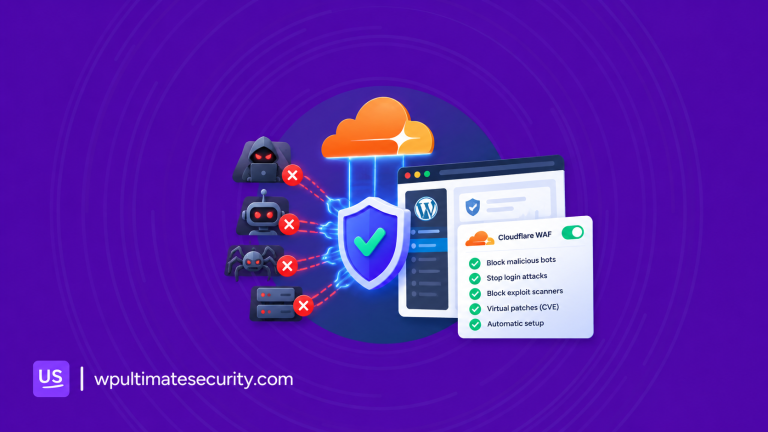
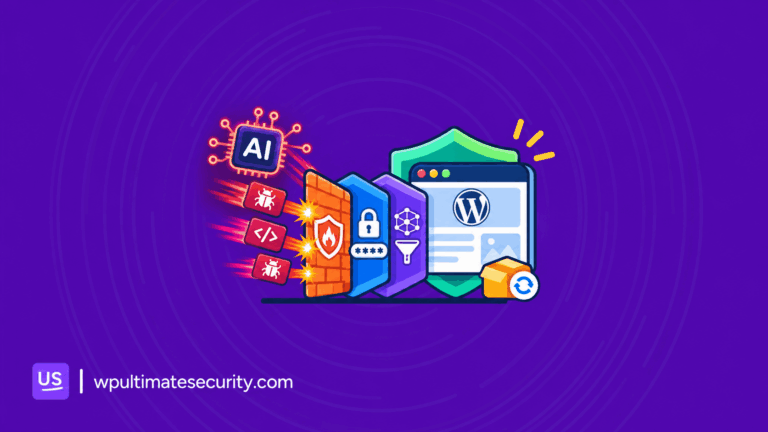
WordPress security in the age of AI requires more than fast updates. AI is changing how security researchers and attackers…
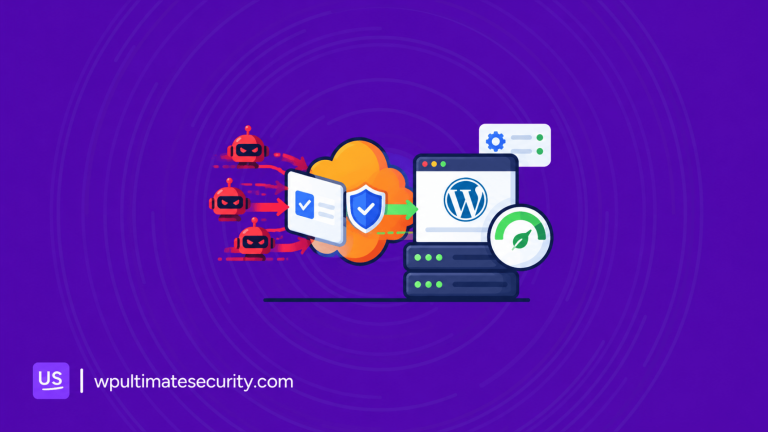
When you enable a new security rule on your WordPress site, how do you know it will not affect legitimate…
When something goes wrong with a WordPress site, you need to know how it’s configured before you can troubleshoot the…
You can use AI to build a WordPress site in an afternoon now. Give a builder a short brief, and…
Every big WordPress SEO plugin has an AI button now. Click it and you get a title, a meta description,…
Automated bots test your WordPress login page for weak and leak passwords. They also request paths like xmlrpc.php and are…
WordPress attacks often start with simple things, like finding usernames, checking your WordPress version, or using features you no longer…
WordPress auto updates help keep your site secure, but the timing matters. An update that runs during a busy sales…
A lightweight WordPress security plugin should protect your site without using too many server resources. In this post, we look…
The things people ask before installing. Longer answers live in the docs.
Yes. Free forever on WordPress.org, including 2FA, CAPTCHA, brute-force limiting and all 5 Cloudflare WAF rule groups. It is not a trial.
Telemetry is opt-in, anonymous and off by default. Some features contact external services by design: vulnerability databases, Have I Been Pwned, Cloudflare, Twilio and AI providers you configure.
The free plugin installed and active, WordPress 5.6 or newer, and PHP 7.1 or newer. Passkeys need PHP 8.2.
You need your own Cloudflare account with your site on it. The plugin deploys 5 rule groups to Cloudflare's edge for you. The feature itself is fully free.
Any app that implements the open TOTP or HOTP standards: Google Authenticator, Authy, 1Password, Bitwarden, Microsoft Authenticator and others.
Rename the plugin folder over SFTP to disable the plugin and log in normally, then re-enable it. Pro adds backup codes so users can recover themselves.
No. Free covers email codes and authenticator apps. SMS codes through your own Twilio account are part of Pro.
AI scanning uses your own API key for Google, OpenAI, OpenRouter or Requesty, so the provider bills you directly for usage. File contents are sent to the provider you choose.
A few integrate with services you bring: Twilio for SMS 2FA, your AI provider key for malware scanning, and your own Cloudflare account for WAF rules.
No. Pro is an extension: it requires the free plugin active and refuses to boot without it.
Install the free plugin from WordPress.org and set up real protection with the guided setup wizard. Upgrade to Pro whenever you need more.